 Advertising on Facebook isn’t ideal for resume writers, or is it?
We’ve heard this question before. Facebook isn’t where resume writers should be putting their advertising dollars, right?
Why Facebook PPC Advertising is So Attractive
First, Facebook offers the cheapest form of PPC advertising available to small businesses like us.
Second, Facebook enables us to impressively target our ads to different audiences.
For example, you can create PPC ads for prospects based on demographics, age, language, interest, and behaviors.
Third, there’s audience retargeting, which means that you can advertise to a pixeled audience: prospects who’ve visited your site but maybe didn’t complete the action you wanted them to. Audience retargeting offers you the most promise for getting new clients. So, why haven’t you taken advantage of it?
Resume writers all too often overlook advertising opportunities with sites like Facebook because they expect the site to produce only low-quality leads.
Yet, nothing could be further from the truth.
Consider this: your clients use Facebook.
According to a Hootsuite survey, 2.23 billion people log into Facebook daily, and 66% of monthly users log in daily.
What are the chances that someone who was at your website today also visited their Facebook accounts?
Therefore, it makes sense that for your resume business, the “low hanging fruit” for getting more clients is by advertising on Facebook.
Look at the following screenshot of referral traffic from one of our sites for the past 30 days.

Facebook accounts for approx. 8% of this site’s traffic.
And, keep in mind that this traffic is being generated from a few inexpensive starter PPC campaigns (see below screenshot).
What would an 8% jump in website traffic mean to your business?
There’s also something else to consider.
Google looks at clicks from social platforms, such as Google, Twitter, etc.
When it sees your site getting more clicks from social properties, it “believes your site has become more relevant.”
Do you know what that means?
Your site could see a jump in organic traffic because of paid traffic.
That makes sense, right?
Okay, so hopefully, we’ve convinced you that launching your first Facebook PPC campaign is worth your time, effort, and money.
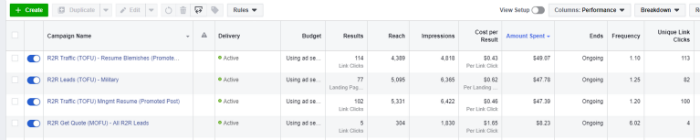
Looking at the above screenshot of campaigns, you’ll see we’re acquiring clicks for as little as 0.43.
In case you’re wondering, that’s cheap.
PPC Keyword Comparison
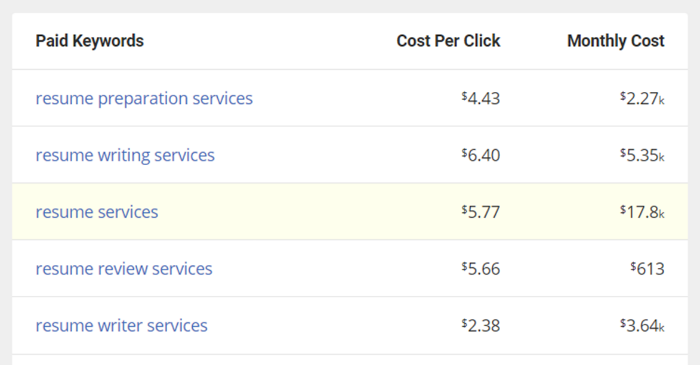
Fellow resume writers advertising on Google are paying between $4-$6 PER CLICK.
That’s not even a lead. That’s just a click.
There’s something to be said about buyer intent when looking at keyword variations.
Individuals searching for resume writing services may be more apt to buy.
You won’t get an argument from me there.
Yet, isn’t it just as likely they won’t buy either?
My point is simply this. Having 0.43 cents invested may be a better bargain than the $5-$6 per click.
You’ll need to test both advertising platforms to find out what gives you the best return.
Steps For Creating Your First Facebook PPC Campaign
Facebook provides a business interface to help you track your FB business activities.
Therefore, start by creating a Facebook Business Manager account.
You can learn more with this Ultimate Guide to Facebook Business Manager.
Once you’ve created your business account, log in to create your first campaign.
Here are a few definitions so you better structure your new ad.
Campaigns — this is an overarching term that represents the main advertising objective (e.g. clicks, engagement, likes, and conversions).
For example, a campaign might be named one of these:
- “MySite.com – Traffic – Blog Post”
- “MySite.com – Leads – Quote Form”
Ad sets — this is where you’ll define ad sets that support the goal for each campaign.
Ad sets contain 1 or more ads and define specifics for each ad, such as bid cost, target audience, etc.
Ad — this is the easiest component to understand.
The ad is just that … your ad that supports the campaign’s goal.
Creating your campaign will begin with a simple question, what’s your marketing objective:
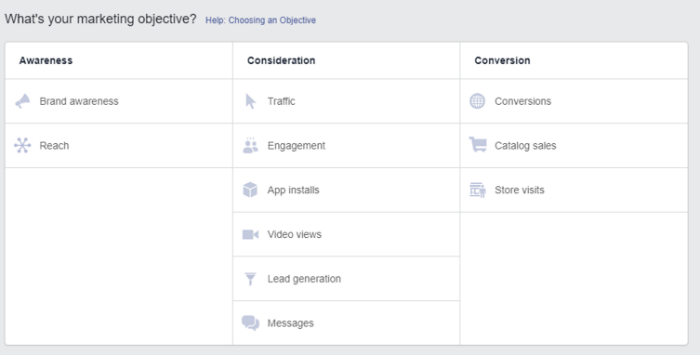
TRAFFIC is the most selected option.
Once you select, you’ll be asked to name your campaign.
Easy enough, right?
You’ll be given two additional selections: create a split test and budget optimization. For now, leave both of those off.
Once you click continue, you’ll be asked to create your new ad set.
Give your ad set a name.
Many in the marketing industry use various shortcodes in their ad set names to readily identify specifics about the campaign.
Some of the variables you’ll want to use include:
- Gender
- Interests
- Country (demographic)
- Age
- Operating System
- Device
- Bid Type
Of course, this is a very long list. Some of these might be overkill for your first campaign. For now, however, let’s focus on the basics.
Here are two example naming structures:
- Florida – Males 35-44 – Interested in Marketing
- US – Male/Female All Ages – Visited My Site
Initially, you might be uncertain as to whom you want to target your ads.
That’s okay.
Simply adjust your ad set name once you’ve made your selections.
You can streamline this step later using Facebook’s Power Editor.
But for now, let’s use a quick, manual option.
Now is the time to begin selecting your target audience.
Choose where you want traffic delivered to. This will likely be yoursite.com.
You can leave “dynamic creative” turned off, a feature for more advanced users.
You can also leave “offer” turned off.
AUDIENCE
Under the Audience tab, you’ll begin making difficult decisions.
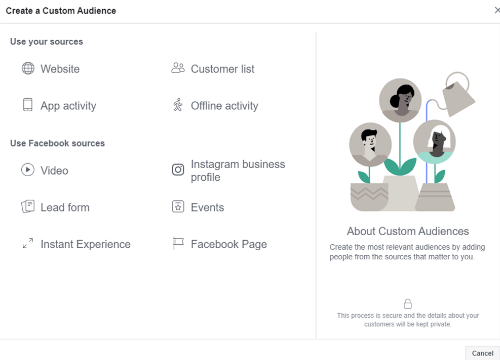
Custom Audiences is a more advanced feature so you can bypass this feature for now.
If you’re feeling a bit more adventurous, you can upload former leads’ email addresses, phone numbers, and so on.
Or, you could use the same data from clients.
- Location
Few in our industry talk about how prospects from some demographics buy more than others.
Scan your existing clients to identify where your best clients currently reside (e.g., state) and pursue those areas.
For example, maybe you’re located in Los Angeles, and up until now, most of your clients have come from that area.
If that’s the case, we’d recommend your location as a target for your ad set.
2. Age
Not sure what age bracket will produce the most clicks and leads?
Different ads can help you identify what age ranges produce the best for you.
Your ideal client can also help with this.
For example, when targeting new grads, an ideal age range might be 22 to 25.
When targeting seasoned managers and executives, an ideal range might be 45 to 58.
3. Gender
Make your selection based on your preference.
4. Languages
You can leave this blank, as your selected location will answer the language query.
If in doubt, fill in with your preference.
5. Detailed Targeting
Targeting enables you to narrow down your audience with a few granular details.
For example, you may prefer working with separated military or marketing professionals.
Finetuning your target audience can help you attract your ideal client.
6. Connections
You can skip over connections unless you have a Facebook Business Page that you’d like to connect to your ads.
PLACEMENTS
According to Facebook’s instructions, selecting Automatic Placement is recommended to help maximize your budget.
That’s always a good thing. 😉
BUDGET & SCHEDULE
For now, choose a $5.00 daily budget. Your budget can always be increased later.
Selecting “run my ad set continuously” is ideal, yet you can also set a start and end date.
An end date, for example, is important when running time-sensitive promotions.
We’ve yet to find a difference between selecting “landing page views” or “link clicks” under other options for ad delivery optimization.
If you find a difference, let me know.
You can set a bid cap for your bid strategy.
We prefer setting this at under $1.00. Although we could just as easily set it for higher when we’re targeting a higher net-worth client.
Select Link Click (CPC) for when you get charged. This means you’re charged when the click goal is met.
Now that you’ve made all your ad set selections look at your audience size.
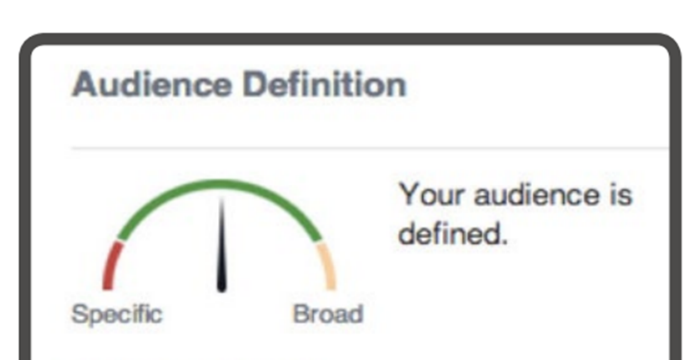
Marketing professionals believe your audience should be somewhat specific and not too broad.
Notice how the above needle is set in the middle, which equates to approximately 1 million people.
When your target audience is much higher, revisit the above settings and adjust your audience further, so it’s not too broad.
CREATE YOUR AD
Ads MUST BE linked to a Facebook Business page.
Thankfully, creating a business page takes less than 15 minutes.
Use this guide to create your first Facebook Business Page:
Facebook Business Pages – Your Kickstart Guide to Get Started
FORMAT
Although Facebook offers an array of ad formats, such as slideshow and carousel, select the single image ad format.
You’ll find this works best for starter PPC ads.
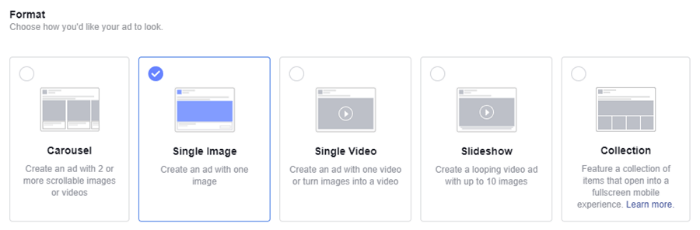
You’ll be asked to provide an image (1080×1080 pixels), display a link (plus a link to your offer), headline, and select a call to action button.
Facebook advises using an image with “little to no text” to increase ad delivery.
Be sure that you have installed the Facebook pixel on your website. The pixel enables you to do advanced conversion/event tracking. For example, how many people clicked on your offer? How many took action after viewing the offer?
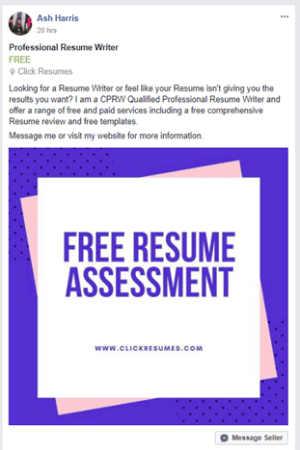
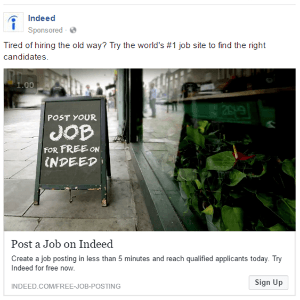
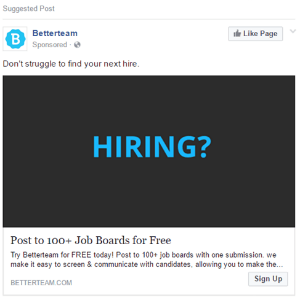
EXAMPLE FACEBOOK ADS