
Writing resumes at times can be difficult.
Even seasoned resume writers come across new terminology; e.g. job tasks, software, and acronyms. Knowing the tools and shortcuts to familiarizing yourself with these unknowns can make all the difference.
Below are tools and shortcuts to improve your knowledge when writing resumes:
1. Google Define
Few folks know about Google Define, despite it being one of the easiest tools to use. It’s my go-to for any acronym, skill, or descriptor I’m unfamiliar with.
Think of Google Define as a dictionary.
To use Google Define, visit Google.com and input (without quotes) “define:“. Then, follow that with the term you need a definition for. You’ll find the best success with one or two-word phrases, though longer, more well known key phrases can sometimes produce results too.
Check out this example:
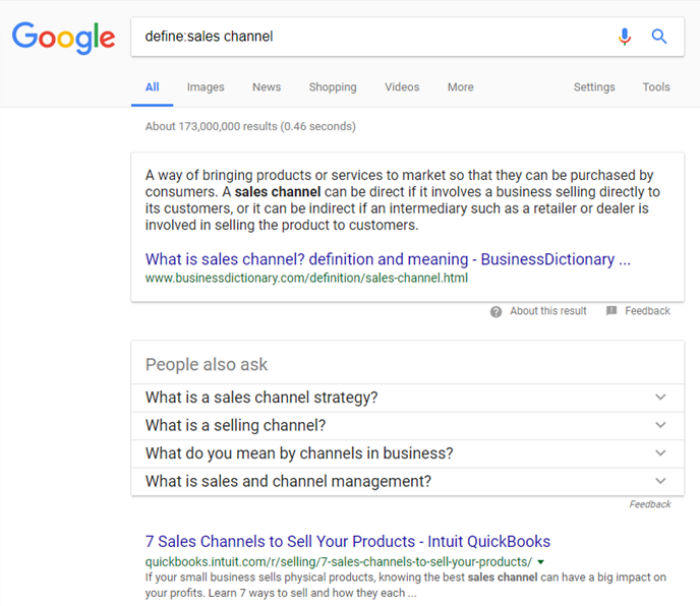
Notice how there is no space after the semicolon (e.g. define:sales channel).
You can search Google Define without the semicolon as well. Your search would look like this:
“define sales channel” (remember to exclude the parenthesis)
Searches like these not only provide term definition but also suggest acronyms and synonyms as well. This proves helpful when you’re having trouble thinking of different word pairings.
2. O*Net OnLine
Another favorite tool for resume writers is O*Net OnLine. O*Net provides quick and advanced search functions based on occupation/job title.
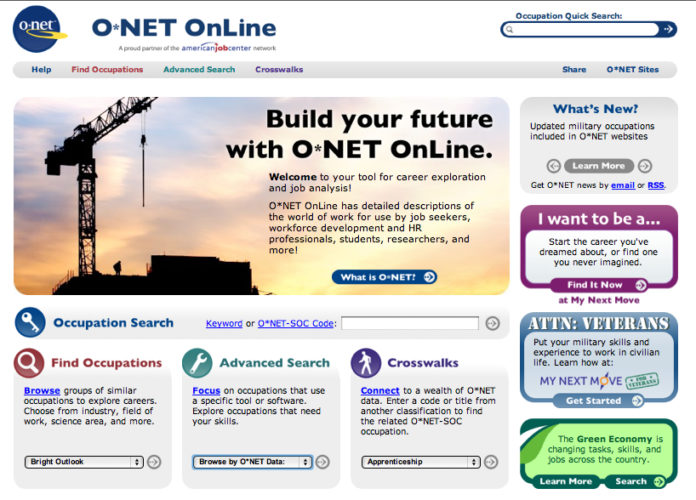
A quick search on O*Net for Supply Chain Managers provides a list of great info important to resume writers. For example, a search on O*Net for Supply Chain Managers shows task, tech skill, and education requirements for those in these roles
3. Industry-Specific Term Sites
Several industry-specific term sites have popped up in the past few years. These can be helpful, especially when other tools fall short. Here are a few online dictionaries to bookmark for later use:
Computer & Internet Terms: https://techterms.com/browse/
Marketing Terms: https://www.ama.org/resources/Pages/Dictionary.aspx
Investment & Financial Services Terms: http://www.investopedia.com/categories/technicalanalysis.asp
Business, Tech & Communications: http://www.netlingo.com/dictionary/all.php
Medical Terms: http://www.medilexicon.com/dictionary
To grow your knowledge and challenge yourself daily, sign up for Tech Target’s Word of the Day: http://whatis.techtarget.com/
If you want to load up on the best dictionaries, thesauruses, and content aggregators on the internet today, refseek offers a list of the best 30 dictionaries and thesauri that you can check out here:
[30 Best Online Dictionaries, Thesauri & Definition Aggregators by refseek]
4. BLS Occupational Outlook Handbook
A resource similar to O*Net is the Occupational Outlook Handbook (OOH) provided by the Bureau of Labor Statistics (BLS).
When researching occupations on the bls.gov website, you will find things like salary forecasts, job outlook, work environment, and task expectations.
An added resource on the BLS site is the “How to Become One” tab, which is particularly useful for those who are looking for institutions that offer licensing and certification programs.
Another useful feature with the OOH is the explanation of different job roles. For example, a quick search under legal occupations shows a link for arbitrators, mediators, and conciliators. After clicking on what these professionals do, I find a detailed explanation on the differences between these three job roles.
That’s pretty cool, right?
You can check out the BLS Occupational Outlook Handbook here: https://www.bls.gov/ooh/
5. Ask The Client
When you come across an acronym or term you’re unfamiliar with, and none of the resources I’ve outlined above help, don’t be afraid to ask your client for help. It would be silly for clients (and us too!) to think we should know everything.
I routinely come across terms and skills I’ve never heard of too.
In fact, this happened to me not long ago.
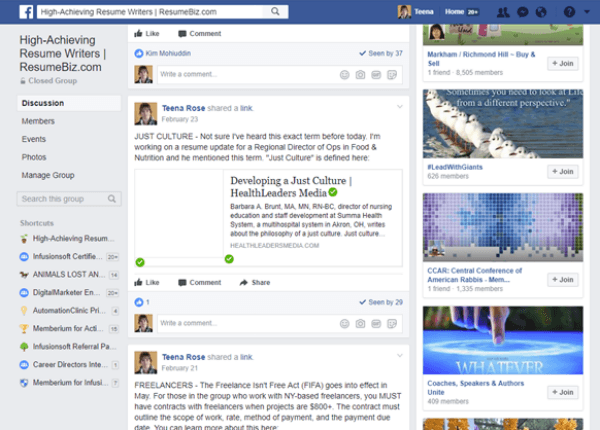
A client mentioned during the intake about developing a “just culture.”
I’d never heard the term before, so I posted about it in the private RBIZ Facebook Group. You may have seen my post:
Do you know of a great resource that other resume writers could benefit from?
If so, let us know by posting it to the RBIZ Facebook Group.
