
Every so often the topic of resume templates surfaces in our industry.
Some consider resume templates to be a lazy approach to our craft, while others like the structure and repetitive layout/look of resume templates.
Collectively, resume templates have long been frowned upon in our industry, mainly because the template seems to put every resume written into a “one size fits all” resume structure regardless of the client’s assets or liabilities and uses a stock layout from one resume to the next.
Another feature that could be grouped under “template” is the use of the same or similar resume content from one resume project to the next.
For example, I once had a competing resume writer (he’s no longer in business) in my area that put the same content in bullet points at the bottom of every resume project. He did this regardless of the person’s career field, job target, and so on.
I found this approach to be lazy on his part, because the only reason for this repetitive content seemed merely for the sake of filling space within each resume, therefore keeping him from having to write anything unique about each of his clients.
Making matters worse, the content was so vague it related to just about everyone.
In fact, I could spot his work within seconds from those folks who approached me to be their new resume writer.
So, why use resume templates in the first place?
Simply put, a resume template makes the resume writing process easier for the writer.
For the jobseeker, however, the finished resume can be very “vanilla,” and subsequently may not generate the best results.
Our clients can produce “vanilla resumes” all on their own.
Clients come to us because they are seeking black raspberry crunch, butter pecan, mint chocolate chip, rocky road …
Yeah, I know. I’m craving ice cream now too. 🙂
Do you see where I’m going with this though?
Professionals hire skilled resume writers because they want/need a well-crafted resume.
How to Find Resume Templates in MS Word
Start by opening MS Word.
Click FILE and then NEW.
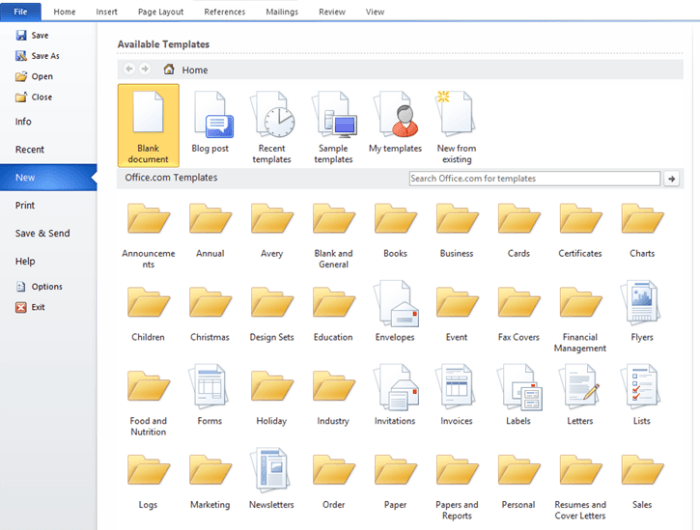
Click on Resumes & Cover Letters (bottom/second from the right).
Other Resources For Finding FREE Templates
Hloom.com offers an extensive list of resume templates that we as resume writers can use for our clients.
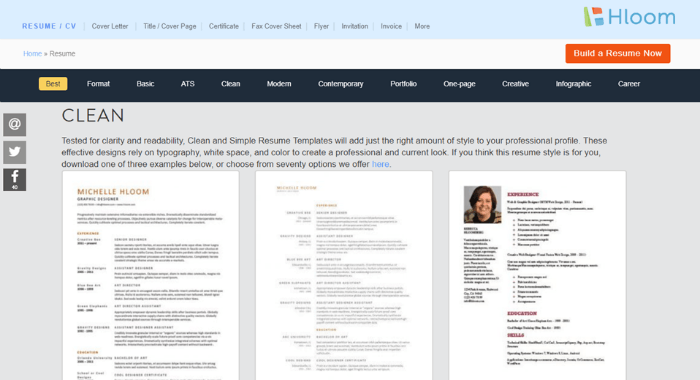
Finding the download feature for these templates was a bit hidden, so here’s a quick how-to for you:
1. Search and click on the template you wish to download.
2. Ignore the paid ads and look for the text at the right of the page that says, Download: Free.
3. Click on Free.
The file will automatically download to your computer.
Canva.com is another resource for visually attractive resume templates.
Canva is a free service with free and paid resume templates.
There are limits to Canva, however. For example, Canva doesn’t allow you to download finished resumes in Word format. PDF, JPG, and PNG are the download options available.
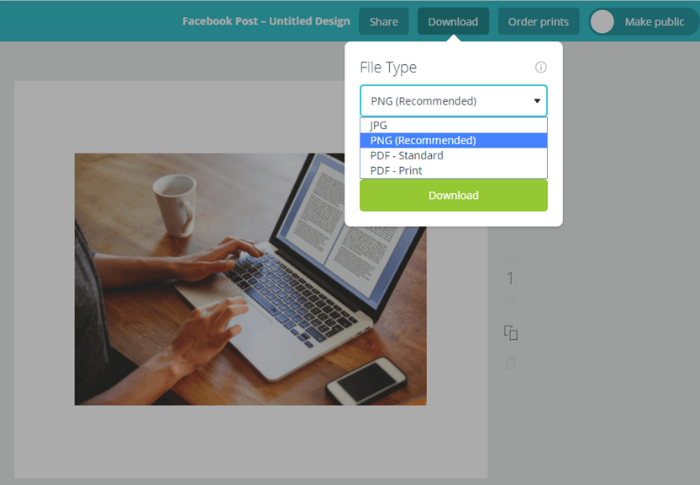
This can be a bit problematic.
We, as resume writers, couldn’t easily update the content without Canva. And, clients would need to use Canva (or some other compatible software) to make changes to their resumes.
How Office 365 & LinkedIn are Changing The Standard Resume
Are you new to Office 365? If so, you may not have noticed the Resume Assistant, a feature that helps jobseekers improve and write their resumes. To learn a bit more about how Resume Assistant works, check out this video:
Do you need more persuasion on why NOT to use resume templates?
Awesome, here you go…
Take a good long look at the resume templates at the top resources.
Notice how most (if not all) are set up in a chronological format. Not all clients are best served with a chronological resume.
Then, notice how the templates are consistently categorized the same way: objective or summary, work experience, education, and a reference line.
As you likely know, reference lines are no longer used. And, what if you’re dealing with a new graduate who has limited work experience. In that case, the template would need to be rearranged.
Something else to consider is that using the same resume templates for your clients can limit your resume writing/presentation skills.
Approaching each project with a clean slate helps you grow as a resume writer.
Each client is unique and therefore each deserves a unique resume.
