Module 5 – LinkedIn Privacy Settings for Job Seekers
 In this module, we’re diving into LinkedIn’s privacy settings for job seekers.
Thankfully, LinkedIn continues to flesh out the functionality for members, which is important for our clients (and us too!). And, adjusting client profile privacy settings can positively impact their ROI from the site.
However, the challenge with the privacy settings is the sheer quantity of them.
There are approx. 75 profile settings (that’s insane, right?) our clients face when examining the back-end of their profiles.
This can be overwhelming, which is why in this module, we’re highlighting what we believe are the most important settings you and your clients should be aware of.
There’s a lot there. And if you remember from the last module, we mentioned that some are worth the time, while others are not.
We’re providing you with a stripped-down list of the setting areas that deserve your/your client’s attention, so neither of you is wasting time on settings that don’t produce the best value upfront.
Sound good? Alright, let’s get moving…
1. RECAP
In the last module, we dived into writing best practices for LinkedIn profiles, while touching on some other key areas, such as should profiles remain public while we work, and WHY picking ideal vanity URLs should be a top priority.
You also received several downloads in the last module.
For example, you received:
- LinkedIn Headline Formula
- 10 LinkedIn headline Examples
- 5 Examples Strategies For Starting Your About Section
We also CAUTIONED you about checking in with the client to determine WHAT if any content DETAILS NOT TO INCLUDE in their public profiles.
We’re going to see changes in coming years where employers become more guarded about what details could/should be published publicly in employee profiles.
Another major topic we covered was how to add visual appeal to the profiles we create. Although LinkedIn is limited on what we can do with design, there are many other workarounds at our fingertips.
This is important for client profiles as well as ours.
2. WILL YOU MESS WITH YOUR CLIENT’S PROFILE SETTINGS?
Before we get nose-deep into profile settings, let’s first answer the question we posed to you in the last module.
You might not have ever considered the above question.
Yet, we brought up in the second module the big decision you needed to make: will you sign in to your client’s profiles or not?
And if you do, will you be adjusting their profile settings while you’re there?
There are great reasons for doing so. However, there are just as many reasons not to.
We recommend NOT making any setting adjustments BECAUSE there are legal concerns involved.
Employers can terminate employees ‘at will’ and toggling certain settings on behalf of your client can have huge implications. For example, let’s say you turn on “signal your interest to recruiters at companies” and recruiters at your client’s employer see that.
Yikes, right?
This is WHY it’s important to let your clients handle the settings part of their profile.
To make this easier, we’re providing you with a done-for-you PDF file that you can gift to your clients after finishing their profile content.
3. 10 LINKEDIN PROFILE SETTINGS IMPORTANT TO RESUME WRITERS
This module is intended to help you identify the privacy settings that are most important to your clients.
However, we’re providing you with the top settings we believe are most relevant to you as well.
TOP 10 SETTINGS THAT DESERVE YOUR ATTENTION
1. Email addresses and phone numbers (sign in & security)
Your LinkedIn profile is a valuable asset, so ensuring its safety should be a priority. Adding a backup email address and phone number to your profile makes your profile accessible should you accidentally get locked.
2. Two-step verification (sign in & security)
Many of our important accounts, including bank, web host, and merchant accounts offer two-step verification as a second-layer security measure. Thankfully, LinkedIn does as well. Without delay, log into your LinkedIn profile and verify that you have two-step verification enabled for your profile. Having this feature activated helps protect your profile from hackers and spammers.
3. Who can see/download your email address (visibility)
Adjusting this setting makes your email address a little bit more difficult to access and use for marketing purposes (aka spam).
4. Share profile updates (visibility)
This is one of the most annoying parts of LinkedIn, in our opinion.
Sure, it would be great if those notifications almost exclusively included new job titles because we could then privately or publicly congratulate them on the new job. This small act of kindness helps build relationships and goodwill. Though, people “notify their networks” for the smallest profile changes too, which can clutter our feeds.
When people in our networks update their profiles, we most often don’t want to know about it. If you agree, adjust this setting so you’re not sharing small profile updates with your network.
5. Notify connections when you’re in the news (visibility)
Hell, yes! As resume writers, we work hard for positive public exposure. So when we finally get some, we want to get the most “mileage” from it.
6. How to get notifications (communications)
How quickly we see notifications and how promptly we respond to prospect and customer inquiries can have a huge impact on the success of our resume writing businesses.
Expanding how you’re notified when getting new LinkedIn notifications can speed response time, which can go a long way when building the “like and trust” part of your marketing.
7. Invitations to connect (communications)
Despite LinkedIn’s best efforts, there are still shenanigans happening on the site. 😉
With this said, you may wish to restrict who can send you connection requests to only those who have your email address.
8. Messages (communications)
With this option, you can adjust whether people can contact you using InMail (AKA LinkedIn-approved communications).
Because LinkedIn keeps a strict leash on spam and encourages only rich, meaningful conversations between acquaintances, colleagues, and other close relationships, you’re allowed only to communicate with first connections.
A workaround for communications with second and third connections is where InMail comes into play.
By allowing second and third connections to contact us using InMail, we’re opening up the line of communication for those in our extended networks to contact and inquire about services. Not allowing this can have a negative effect.
9. Messaging nudges (communications)
As we get busy, we sometimes need those small reminders to ensure we don’t overlook valuable communications.
10. Microsoft Word (data privacy)
Our least favorite setting under LinkedIn has to do with Microsoft Word. Since Microsoft owns LinkedIn, it makes sense that they’ve added the Resume Assistant feature.
The concern is when people in Word are updating their resumes.
They’re given access to live profile content that they can reference (and use?) when writing their resumes.
For example, let’s say John is a project manager and he’s working on his resume in Word. He’s using the Resume Assistant and therefore being shown real profiles by other project managers who have yet to turn the Microsoft Word feature OFF in their LinkedIn profiles.
Resume Assistant is a great feature for those working ON their resumes, yet may not be so great for the person whose profile is being used as an example. Individuals may be too tempted to “borrow” from the examples they’re being shown.
We’re hoping that you, as a resume writer, toggle this feature OFF. And that you advise your clients to do the same, thereby telling Microsoft and LinkedIn, NO THANKS!
4. INTRO TO QUICK GUIDE/INFOGRAPHIC FOR JOB SEEKERS
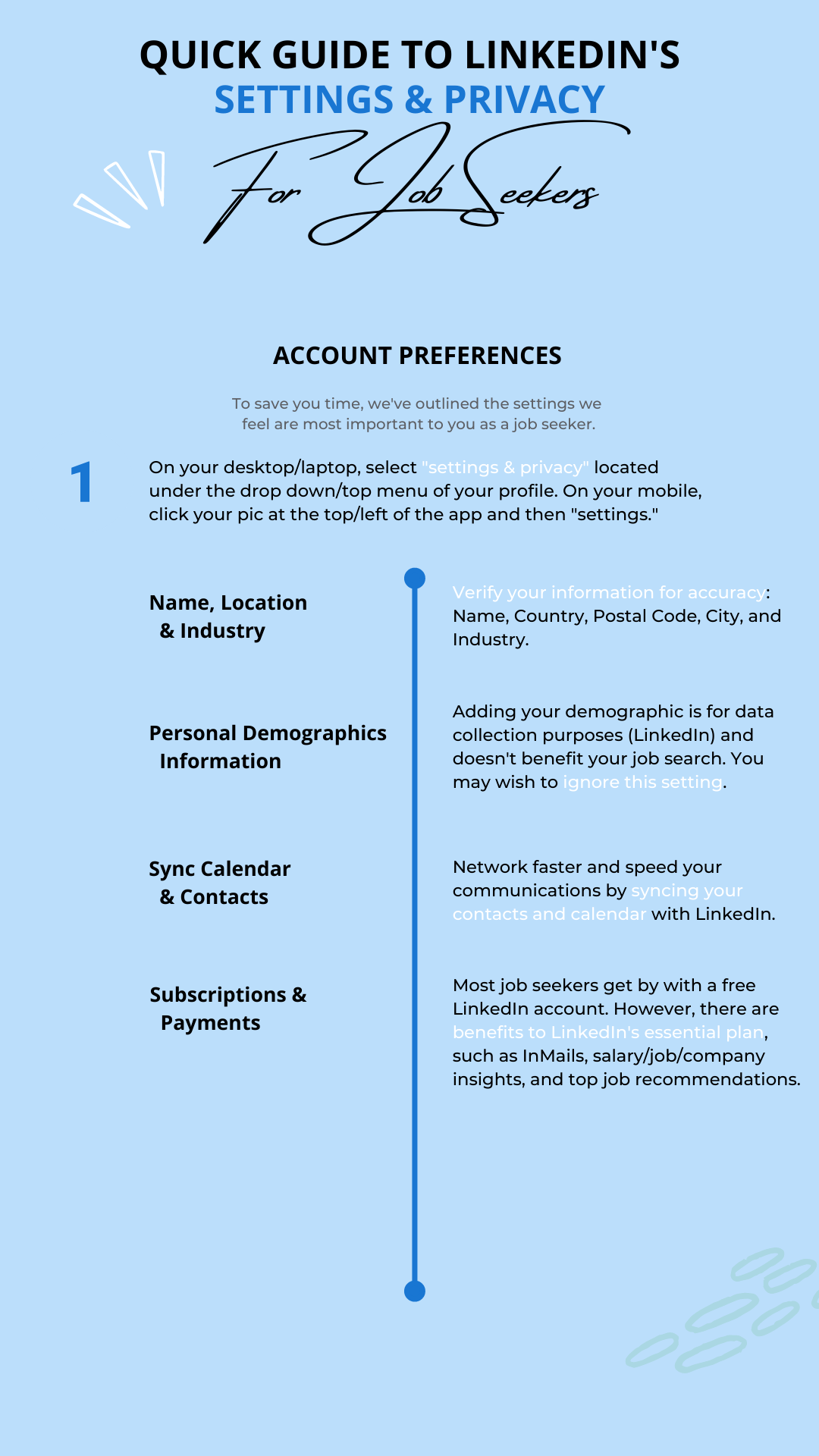
We mentioned above that we’re providing you with a quick guide infographic about the settings that are most important to our job-seeking clients.
As a LinkedIn Profile Writing & Mastery Program (LPWMP) student, you may share this infographic with your clients.
This quick guide is a great value-add for your clients and consists of 5 easy-to-reference pages that break down the settings into easy-to-follow sections, which mimic those outlined on LinkedIn.
With the help of this quick guide, your clients can have their settings optimized in a few short minutes.
SEE THE DOWNLOAD LINK BELOW TO ACCESS THE PDF.
5. DOWNLOAD
Quick Guide for Job Seeker’s to LinkedIn’s Settings & Privacy
When printing the guide, adjust your printer settings to “fit to printable area.”

6. NEXT MODULE
Hold onto your hats because, in the next module, it’s all about tools baby!
We’re going to showcase game-changing tools that you can use to advance the content, design, and viewership of your LinkedIn profiles.
You won’t want to miss it!
If at any time you have questions, email us at [email protected].
Regards,
ResumeBIZ Team
